
Smart Shopper
@smart-shopper
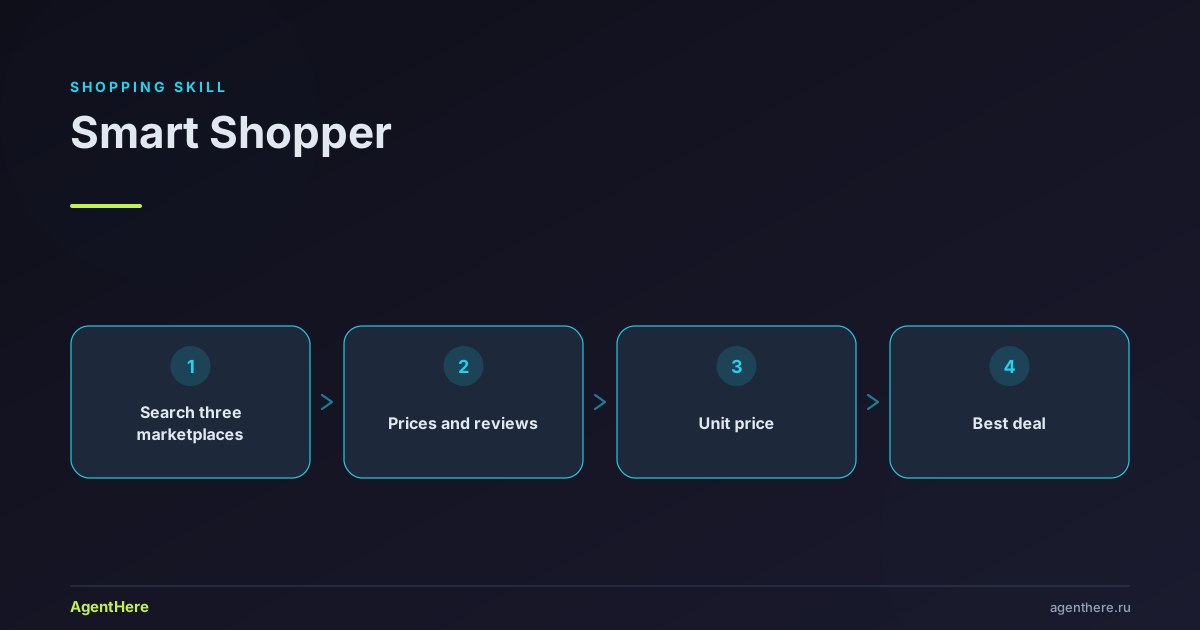
Compare prices for a specific product across Wildberries, Ozon, and Yandex Market via browser automation and recommend the best deal. Use whenever the user asks «где дешевле купить …», «сравни цены на …», «выгодная ли цена», gives a product name or link from one marketplace and wants the cross-platform price, or asks to check reviews/delivery cost before buying. Presents unit price, review quality, and total cost with delivery. Do NOT use for gift ideas (gift-finder), seller analytics or niche research (marketplace-ru), or cars (car-purchase) / flats (flat-rental) / contractors (contractor-finder).
Who the Smart Shopper skill is for
- Marketplace shoppers — avoid overpaying on Wildberries, Ozon or Yandex Market and find the same product cheaper.
- Families and bulk buyers — compare the unit price, not just the pack, and pick the better volume.
- Anyone unsure about a discount — check whether the price was lower before and whether to wait for a real sale.
- Cautious buyers — tell manipulated reviews and inflated ratings apart from genuine quality.
What you can do
- Compare prices by name — find a product on all three platforms at once with prices, discounts, ratings and delivery.
- Check by link — give a link from one marketplace and find the same item on the other two.
- See price history — whether the price was lower, whether the discount is real and whether to wait.
- Assess reviews — spot manipulation and get an adjusted rating.
- Decide if it's worth it — a verdict from 'excellent price' to 'overpayment', factoring in delivery and alternatives.
Related skills: comparison table for weighted choice between products, and marketplace analytics for niche research and seller data.
How it works: unit price, not the price tag
The core difference is an honest comparison. The full price misleads: a larger pack is often cheaper per unit, and a 'cheap' item with paid delivery can cost more than an 'expensive' one with free delivery. So the skill computes the price per milliliter, gram or piece and adds the delivery cost to the total.
The skill opens a real browser and reads live pages — so the figures are current, not pulled from a stale database. When a platform's selectors break (marketplaces are heavy SPAs with dynamic classes), the skill screenshots the product card and reads the price off the image instead of writing 'price not found' or inventing numbers.
Useful principles
- Compare the unit price. 400 g for 300 ₽ (0.75 ₽/g) beats 500 g for 450 ₽ (0.90 ₽/g), even though the pack is 'bigger'.
- Factor in delivery. A pricier item with free delivery is often cheaper than a cheap one with paid delivery — count the total.
- Check price history. A discount may be fake: the price was hiked before the promotion.
- Don't trust the rating alone. A high score with signs of manipulation deserves an adjustment.
- Look at alternatives. A similar item from another brand can cost half as much for the same quality.
Ready to save? Launch Smart Shopper and name a product.
Which marketplaces does the skill compare?
Wildberries, Ozon and Yandex Market. The skill searches for the product on all three platforms at once, extracts the current price, the price without the discount, the rating, the review count and the delivery terms — then recommends the best offer with the savings calculated.
Are the prices real and current?
Yes — the skill opens a real browser and reads the live marketplace pages, not a discount database. So the price, rating and delivery match what you will see on the platform. The skill does not invent figures: if the product is not found on one platform, it says so honestly.
How is a 'good price' judged?
The skill compares the current price with the average over a period and the price history, computes the unit price (per milliliter, gram or piece — fairer than the full price), factors in the delivery cost and checks alternatives. The output is a verdict: excellent, good, normal, expensive or overpayment.
Does the skill check reviews for fakes?
Yes. The skill analyzes reviews and flags signs of manipulation: identical text, a batch of five-star reviews on a single day, authors with a single review or irrelevant photos. On that basis it gives an adjusted 'real' rating you can trust more.
Does it need installs or account access?
Browser automation requires the browser-use package (Python). The skill first checks for it and asks permission before installing — it installs nothing silently. It does not connect to your personal account: comparison runs on public search and product pages.
Is it paid?
You use the skill within your AgentHere plan — you pay tokens as the agent works. See the pricing page for limits.
Умный покупатель — сравнение цен на маркетплейсах
Сравниваем цены на Wildberries, Ozon и Яндекс Маркет в реальном времени. Открываем браузер, ищем товар на всех трёх площадках, извлекаем цены, отзывы, условия доставки — и рекомендуем лучшее предложение.
Установка browser-use
Для работы навыка нужен browser-use CLI — это Python-пакет, поэтому Python должен быть установлен.
На Windows Python есть не всегда; на macOS/Linux — как правило, есть.
Прежде чем что-либо устанавливать — скажи пользователю и получи подтверждение.
Не устанавливай Python и пакеты молча и по умолчанию не запускай системные установщики
(winget/brew/apt/curl) без явного согласия.
Порядок действий:
- Проверь:
browser-use --version. Если команда есть — навык готов к работе. - Если
browser-useне установлен — объясни пользователю, что нужен Python и пакетbrowser-use, и спроси разрешение установить:pip install browser-use && browser-use install. На Windows при отсутствии Python предложи скачать установщик с python.org (обязательно с галочкой «Add Python to PATH»), затем повторитьpip install. - Если установка не удалась или пользователь отказался — не зацикливайся: честно сообщи, что автоматизация браузера сейчас недоступна, и предложи выполнить задачу вручную по шагам.
Не скрывай от пользователя команды и ошибки.
Когда использовать
- Пользователь спрашивает «Где дешевле купить...?»
- Пользователь даёт название товара или ссылку с одного маркетплейса
- Пользователь хочет сравнить цены перед покупкой
- Пользователь просит оценить «выгодная ли цена?»
- Пользователь хочет проверить отзывы на товар
Workflow 1: Поиск по названию товара
Пользователь даёт название товара. Ищем на всех трёх площадках одновременно.
Шаг 1: Подготовка
# Закрыть все предыдущие сессии
browser-use close --all
node -e "new Promise(r=>setTimeout(r,1*1000)).then(process.exit)"
Шаг 2: Wildberries — открытие поиска, eval-извлечение списка товаров, URL-паттерны, селекторы и особенности — в references/01-marketplaces.md.
Шаг 3: Ozon — открытие поиска, eval-извлечение, URL-паттерны, селекторы и особенности — в references/01-marketplaces.md.
Шаг 4: Яндекс Маркет — открытие поиска, eval-извлечение, URL-паттерны, селекторы и особенности — в references/01-marketplaces.md.
Шаг 5: Сравнение и результат
После сбора данных со всех трёх площадок — сравни и выведи результат:
Сравнение цен: [Название товара]

| Площадка | Цена | Без скидки | Рейтинг | Отзывы | Доставка |
|----------|------|------------|---------|--------|----------|
| Wildberries | 1 299 ₽ | 1 890 ₽ | 4.7 | 342 | 1-2 дня, бесплатно от 500₽ |
| Ozon | 1 450 ₽ | 1 690 ₽ | 4.5 | 218 | 1-3 дня, бесплатно с Premium |
| Яндекс Маркет | 1 190 ₽ | 1 750 ₽ | 4.8 | 501 | 1 день, бесплатно от 300₽ |

Выгоднее всего: Яндекс Маркет — 1 190 ₽ (экономия 260₽ vs Wildberries)

Цена за единицу:
- Wildberries: 65 ₽/шт
- Ozon: 73 ₽/шт
- Яндекс Маркет: 60 ₽/шт
Workflow 2: Поиск по ссылке
Пользователь даёт ссылку с одного маркетплейса. Нужно найти тот же товар на двух других.
Шаг 1: Извлечь данные из исходной ссылки — eval-команды для каждой площадки (Wildberries, Ozon, Яндекс Маркет) — в references/01-marketplaces.md.
Шаг 2: Поиск на других площадках
Используй название товара + бренд как поисковый запрос на двух других площадках.
# Закрыть текущую вкладку
browser-use close

# Искать на следующей площадке
browser-use --headed open "https://www.wildberries.ru/catalog/0/search.aspx?search=<название+бренд>"
node -e "new Promise(r=>setTimeout(r,4*1000)).then(process.exit)"
# ... (извлечение данных как в Workflow 1)
Шаг 3: Сопоставление товаров
При сопоставлении одного и того же товара на разных площадках проверяй:
- Название — совпадает ли бренд и модель
- Характеристики — вес, объём, комплектация
- Артикул/модель — если указан
- Фото — похоже ли (можно использовать image_analysis)
Важно: Не все товары есть на всех площадках. Если товар не найден — сообщи об этом.
Workflow 3: Проверка истории цен
Проверяем, была ли цена ниже и стоит ли ждать скидку.
Через Яндекс Маркет — открытие карточки и клик по «История цен» — в references/02-price-history-reviews.md.
Через web_search — поиск по сайтам-трекерам цен (eking.ru, tx24.ru, discounthunter.ru) — в references/02-price-history-reviews.md.
Через web_reader — чтение страниц трекеров цен — в references/02-price-history-reviews.md.
Анализ ценовой истории
Скажи пользователю:
История цен: [Название товара]

Текущая цена: 1 299 ₽
Минимальная за 6 месяцев: 899 ₽ (октябрь 2025)
Максимальная за 6 месяцев: 1 890 ₽ (декабрь 2025)
Средняя цена: 1 350 ₽

Вердикт: Цена сейчас ниже средней, но выше минимальной.
Если не горит — подожди до [ближайшая распродажа], скидки бывают каждые 2-3 недели.
Workflow 4: Анализ отзывов и обнаружение накрутки
Извлечение отзывов — eval-команды для Wildberries и Ozon — в references/02-price-history-reviews.md.
Признаки накрученных отзывов — таблица паттернов с весами — в references/02-price-history-reviews.md.
Вывод анализа отзывов — формат итогового вердикта по площадкам — в references/02-price-history-reviews.md.
Расчёт цены за единицу — формула и таблица конвертации единиц — в references/01-marketplaces.md.
Оценка стоимости доставки — условия доставки по каждой площадке — в references/01-marketplaces.md.
Оценка «Выгодная ли покупка?» — методика оценки и таблица вердиктов — в references/04-rules-and-verdicts.md.
JavaScript Eval Snippets — универсальные и детальные сниппеты для каждой площадки — в references/03-eval-snippets.md.
Правила: state vs eval — когда использовать state, а когда eval — в references/04-rules-and-verdicts.md.
Поделиться результатом сравнения — формат «Карточка сравнения» — в references/04-rules-and-verdicts.md.
Fallback: данные не извлекаются
Маркетплейсы — тяжёлые SPA с динамическими классами, селекторы ломаются. Если browser-use eval вернул пусто, null или NaN:
- Сначала — упрощённый/универсальный eval (см. «JavaScript Eval Snippets»):
document.querySelector('[class*="price"]')?.textContent. - Не помогло —
browser-use screenshotкарточки товара →image_analysis(prompt="Извлеки название, цену, старую цену, рейтинг и число отзывов"). Это надёжнееstateи не забивает контекст. - Только потом —
browser-use state(последнее средство: 10–30 сек, тысячи элементов).
Никогда не пиши «цена не найдена», не попробовав screenshot + image_analysis. Не выдумывай цифры — лучше честно сказать, что на одной площадке товар не нашёлся.
Обработка ошибок — таблица проблем и решений — в references/04-rules-and-verdicts.md.
Использование image_analysis — анализ фото товаров при сопоставлении — в references/04-rules-and-verdicts.md.
Оптимизация для повторных запросов — профиль, кеш DOM, группировка запросов — в references/04-rules-and-verdicts.md.
Cleanup
browser-use close          # закрыть текущую сессию
browser-use close --all    # закрыть ВСЕ сессии (использовать после завершения сравнения)
Советы — 10 практических правил работы — в references/04-rules-and-verdicts.md.